Case study V · Operations tools Live
From “pick a time”to “you’re in.”
My own scheduling and video calls, built in-house and in the Clairen Haus brand.
- You’re bookedInvite emailed · private room ready
- Only open timesRead from the real calendar
- Waiting in the lobbyUntil Michelle lets you in
- Reschedule from the emailOr cancel, no back-and-forth
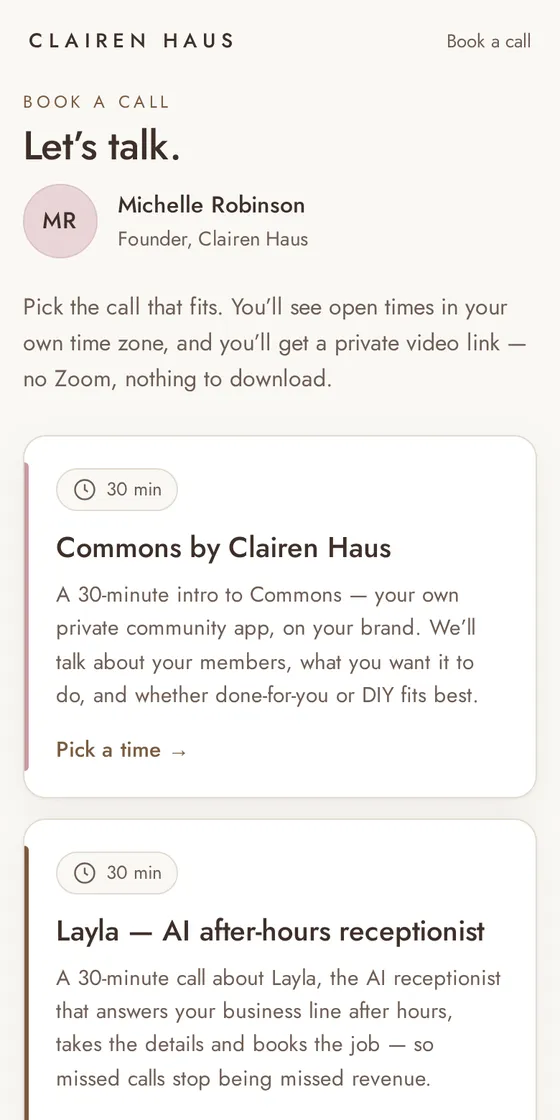
Plate VThe live booking page, from book.clairenhaus.com
- Online booking
- Real calendar
- Branded confirmations
- Private video rooms
- Lobby
- Reschedule & cancel
- Audio-only mode
- Up to 7 people
i.The problem
Booked in one tool, met in another.
Calls were booked through a generic calendar booking page and held in a separate video app, outside the Clairen Haus brand.
- ✕A generic booking page
- ✕A separate video app
- ✕Booking and calls in two places
- ✕Not in the Clairen Haus look
- ✕Links to find before every call
ii.Process first
Map the guest’s path, from start to room.
I mapped every step a guest takes, from picking a time to sitting in the call, and kept each one inside the Clairen Haus brand.
- Pick a timeOnly open times, in the guest’s own time zone
- BookedWritten straight to the calendar
- ConfirmedA branded email with an invite
- The roomA private video room with a lobby
- ChangesReschedule or cancel from the email
iii.Then the tool
Then the tool: booking and meeting rooms, in one place.
A booking page that reads my real calendar, a branded confirmation, and a private video room for every booking, with nothing to download.
Book a call · 30 min
Illustration of the booking flow; times are examples.
- Only open timesThe booking page reads the real calendar and only offers open times, in the guest’s own time zone.
- Booked onto the calendarEach booking is written to the calendar.
- A branded confirmationThe guest gets a Clairen Haus confirmation email with an invite.
- A private room for every bookingEach booking gets its own video room, with a lobby until I join. Nothing to download.
- Changes without the back-and-forthGuests can reschedule or cancel from their email.
- Room for the whole teamRooms hold up to 7 people, with an audio-only switch for a weak connection.
iv.Where it runs
Live, and it’s the button on this page.
- It runs at book.clairenhaus.com. Every “Book a call” button on this site goes there.
- Two calls to choose from today: a 30-minute intro to Commons and a 30-minute call about Layla.
- Guests see open times in their own time zone and get a private video link, with nothing to download.
- Rooms were tested with 7 people at once on the live site, and everyone could hear everyone the whole time.
- Online booking
- Calendar sync
- Branded email
- Video rooms
- Lobby
- Reschedule & cancel
- Audio-only mode
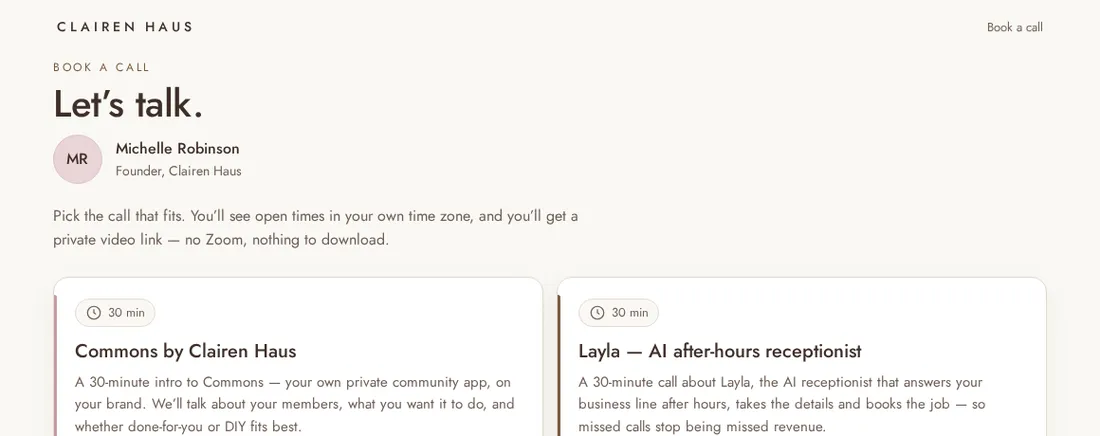
The live booking page on desktop, captured from book.clairenhaus.com.

Still booking through someone else’s page?
I’ll map how your clients go from “pick a time” to “we’re talking”, then build it in your brand.
Book a callOr email hello@clairenhaus.com