Case study IV · Client portals Live
Clients stop asking“where are we?”
One private place for Clairen Haus website clients to follow their build, from deposit to launch.
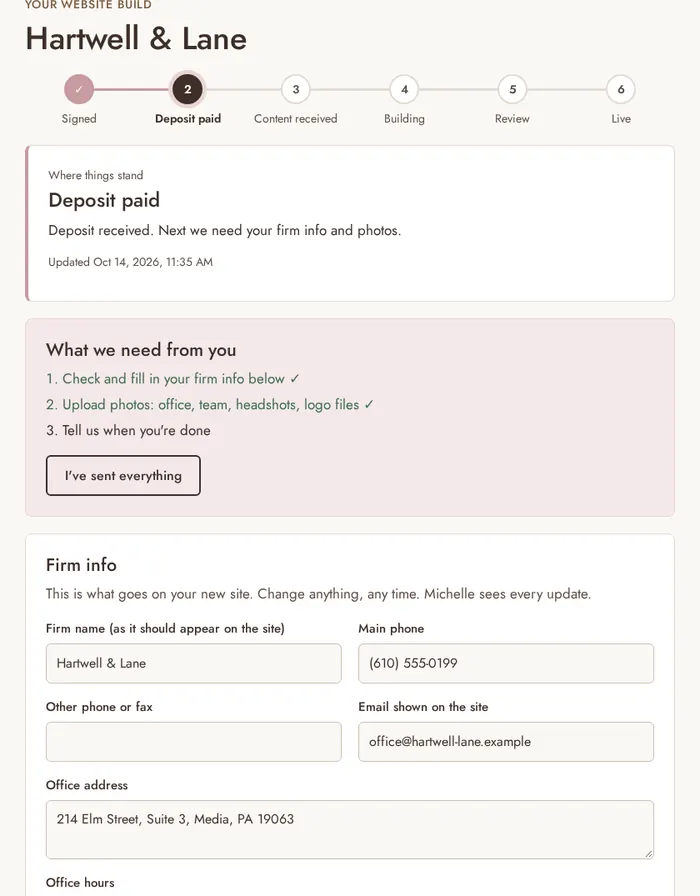
- Deposit paid → portal openClient signed in, step 2 of 6
- Sign-in link sentNo password to forget
- Update emailed: BuildingSent at every step, automatically
- Photos uploadedContent in one place
- Agreement signedFiled in the portal
Plate IVThe client view, with sample data
- Client portal
- Passwordless sign-in
- Build tracker
- Stripe checkout hand-off
- Invoices
- Update emails
- Admin view
- Photo uploads
i.The problem
Everything after the deposit ran through email.
Clairen Haus website clients sign an agreement and pay a deposit, then the build begins. Without a portal, the rest ran through email: sending firm details and photos, finding the signed agreement, and checking where things stood.
Clients needed one place to check, and the business needed a way to move each client forward without writing every update by hand.
- ✕Firm details sent by email
- ✕Photos in a separate thread
- ✕“Where’s the signed agreement?”
- ✕“Where do things stand?”
- ✕Every update written by hand
ii.Process first
First, map the journey from yes to live.
Before any code, I mapped the client journey from signed agreement to live site, decided on sign-in by email link so there are no passwords to forget, and defined what clients see and what only the admin sees. Six steps came out of it, and every client can see all six.
- SignedThe agreement
- Deposit paidThrough Stripe checkout
- Content receivedDetails and photos
- BuildingThe site takes shape
- ReviewClient feedback
- LiveLaunched
PlanOct 14
- Mapped the client journey
- Chose sign-in by email link
- Split client and admin views
BuildOct 14
- Client dashboard and tracker
- Admin view and photo downloads
- Checkout hand-off
TestOct 14–15
- Sign-in, dashboard, admin, checkout
- Phone and desktop layouts
- Payments tab
LaunchOct 15
- Own database and photo storage
- portal.clairenhaus.com
- Emails from clairenhaus.com
iii.Then the tool
Then the tool: a portal that opens the moment they pay.
A private portal with its own sign-in, a client view and an admin view. A client who pays their deposit through Stripe checkout lands straight in their portal, signed in. Scroll to watch a build move.
Now: Live
Illustration of real portal features. No client data.
- Sign-in by email linkPasswordless sign-in by email link, only for the email addresses on the client’s file.
- A six-step build trackerSigned, Deposit paid, Content received, Building, Review, Live. Clients see exactly where things stand.
- Details and photos in one placeA firm details form and photo uploads, so content arrives in one place instead of an inbox.
- The agreement and paymentsThe signed agreement and a Payments tab with paid, due and upcoming invoices.
- An update email at every stepAn admin view moves each client through the build, and the client gets an automatic update email at every step.
- Admin toolsAdd a client by hand, resend a sign-in link and download a client’s photos.
iv.Where it runs
Live, private, and checked.
- It runs at portal.clairenhaus.com. The sign-in page is public; client pages are private.
- Planned, built and put live in two days, October 14 and 15, 2026.
- Every part is checked automatically: sign-in, the client dashboard, the admin view, payments and the checkout hand-off. 65 automated tests, all passing.
- No real client is shown. Screenshots of the client view use sample data from the test setup.
- Client portal
- Node.js
- PostgreSQL
- Stripe Checkout
- Stripe invoices
- Postmark email
- Railway
- Automated testing
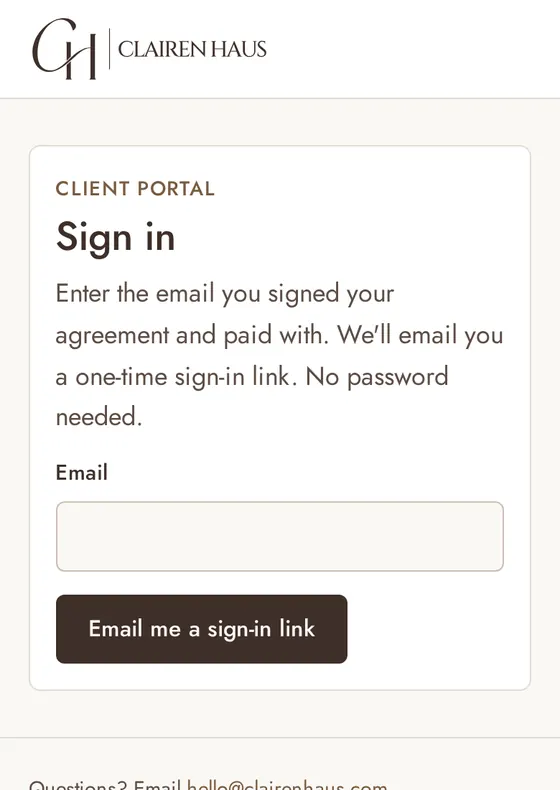
The live sign-in page, captured from portal.clairenhaus.com, and the client view with sample data.

Clients asking “where are we?”
A portal gives them the answer before they ask. I map how your clients move from yes to done, then build the place where they can see it.
Book a callOr email hello@clairenhaus.com